▦PairInk is open
Open it on Windows.
Launch the Windows app. Your PC becomes the home for your shared boards.
 PairInkPREVIEWGet started
 The freedom of a pen. The space of your desktop.
One shared canvas, connected through your own Wi-Fi.
Windows preview + iPad Safari · Same Wi-Fi · Keep Windows open
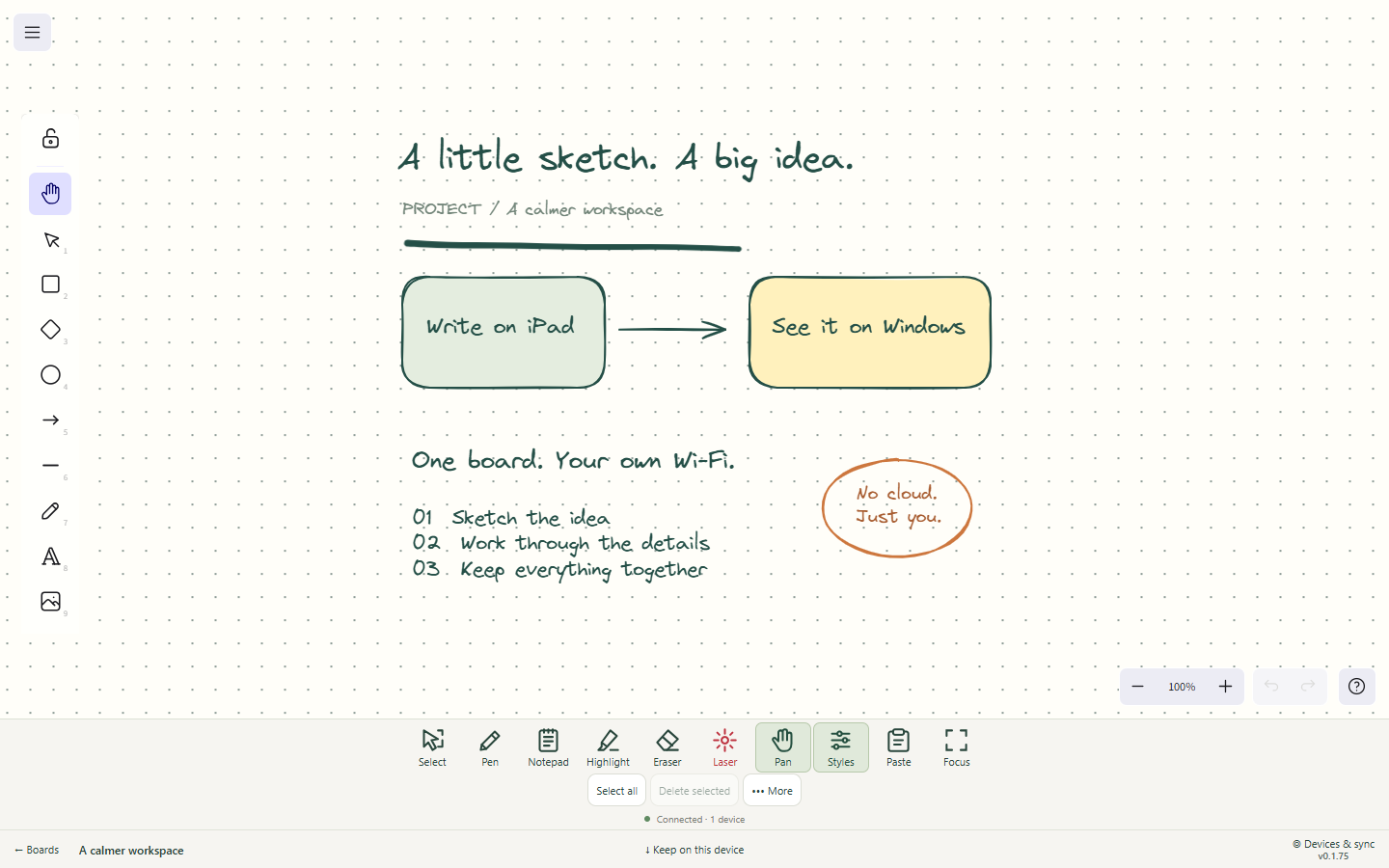
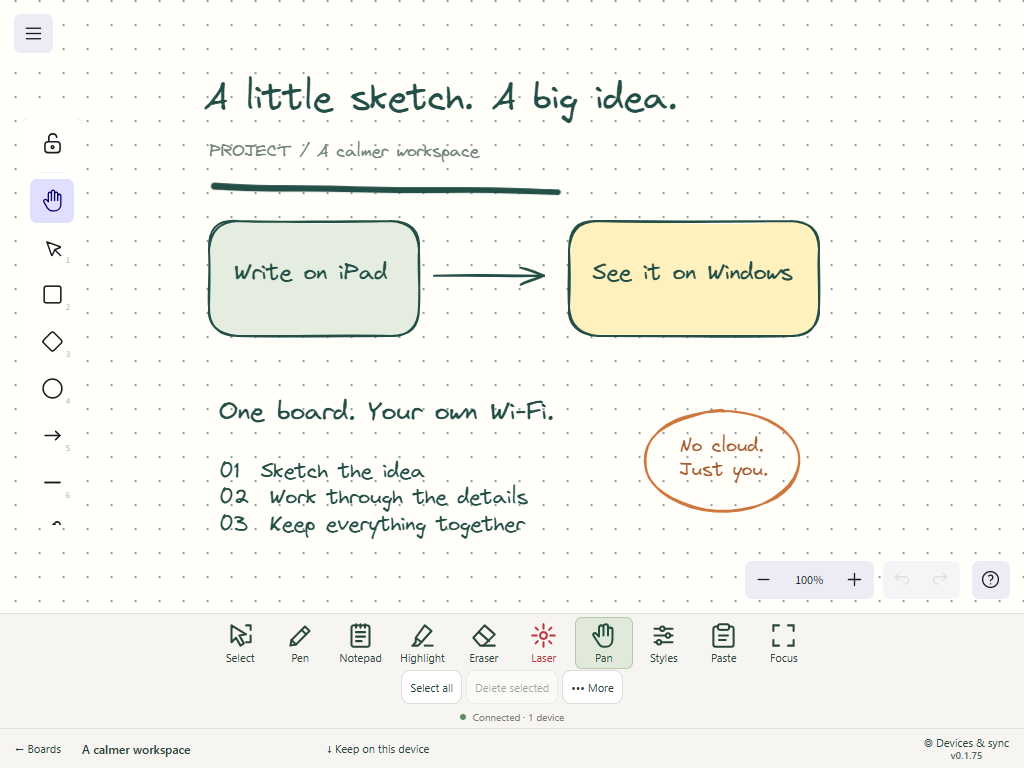
Real app screenshots with a sample board. Tablet layout captured in a touch-enabled browser; device frames are illustrative.
Think with your penSketch, write, highlight, explore.
Keep the idea movingYour board follows across screens.
Keep it close to homeYour Windows PC runs the sync.
A SMALL SETUP. A BIGGER WORKSPACE.
No files to send yourself. No cloud storage for your drawings.
Bring your two favorite screens together.
Launch the Windows app. Your PC becomes the home for your shared boards.
On the same trusted Wi-Fi, scan the QR code in Devices & sync. Open its link in Safari.
Open the same board on both devices. Write on your iPad and watch the canvas update on your PC.
Both devices need to stay awake and connected for live updates. Visible delay depends on Wi-Fi, board size and sync settings.
LESS EXPLAINING. MORE SHOWING.
Your sketches, notes and next big idea.
Room for all of it.
PairInk 0.1.75 on Windows: core tools stay in a compact row, with More for secondary actions and Focus for a clear working view.
Select, Pen, Notepad, Highlight and Eraser keep the main actions readable and easy to reach.
Open less-used actions in More. Focus keeps the top tools visible while you work.
Use the +/- size controls for notes and import multiple images into the same board.
Desktop and iPad keep Laser and Styles in the top row. On phones, Laser moves into More and Styles is hidden.
YOUR WORK HAS A HOME.
PairInk connects through your local network. Your Windows PC runs the sync service, and your boards save locally. Your Windows license handles access; your drawings remain in local board storage.
Make room for your next ideaA FEW GOOD QUESTIONS
For local syncing, your iPad and Windows PC need to reach each other on the same Wi-Fi network. Drawing and local sync work without the internet once the app and a valid license are available. Internet is needed for initial license activation and to refresh Pro access at least every 30 days. Keep the Windows app and iPad page open.
PairInk for Windows pairs with Safari on your iPad; there is no iOS or Android store purchase in this offer, and customers do not need an app account. Enter the license key from your receipt in the Windows app’s License panel to activate it.
The Windows license is for one PC at a time and can be transferred. Use the License panel in the Windows app to move the license. The previous offline activation may continue for up to its remaining 30-day expiry.
Updates are sent as you draw. Actual delay depends on your Wi-Fi, sync settings and board size; image-heavy boards can take longer. Physical iPad-to-Windows latency has not been benchmarked for this preview.
The Windows app stores synced boards on your PC, and each browser keeps its own local board data. Export backups for safekeeping. The local preview is intended for trusted Wi-Fi.
Yes. These captures show the running PairInk app with a prepared sample board. The iPad view is a touch-enabled browser viewport, not a photograph or a physical-iPad test. The pairing capture uses a disposable demo connection.
A WINDOWS LICENSE. YOUR LOCAL WORK.
$39 one-time
One-time purchase for Windows version 1.x. Use it on one PC at a time and transfer it when you move to another PC. Applicable taxes are shown at checkout.
Try PairInk for 7 days with up to three active boards. Customers do not need an app account: enter the license key from your receipt in the Windows app’s License panel.
Pro access needs an internet connection for initial activation and a refresh at least every 30 days. Your drawings stay in local board storage.
Start on Windows. Bring your iPad. Make something.
Download PairInk for WindowsDownload the Windows installer and run it on your PC.
After installation, pair your iPad through Safari.